What's New in Devchain 0.11.0
Session Reader, provider model override, context tracking, and OpenCode support
Session Reader
The headline feature of 0.11.0 — a full transcript viewer built directly into DevChain. Open any active agent session to see every tool call, thinking block, and response in a structured, scrollable timeline. Token usage, cost, and compaction events are tracked per message, giving you complete visibility into what your agents are doing and how much they cost.
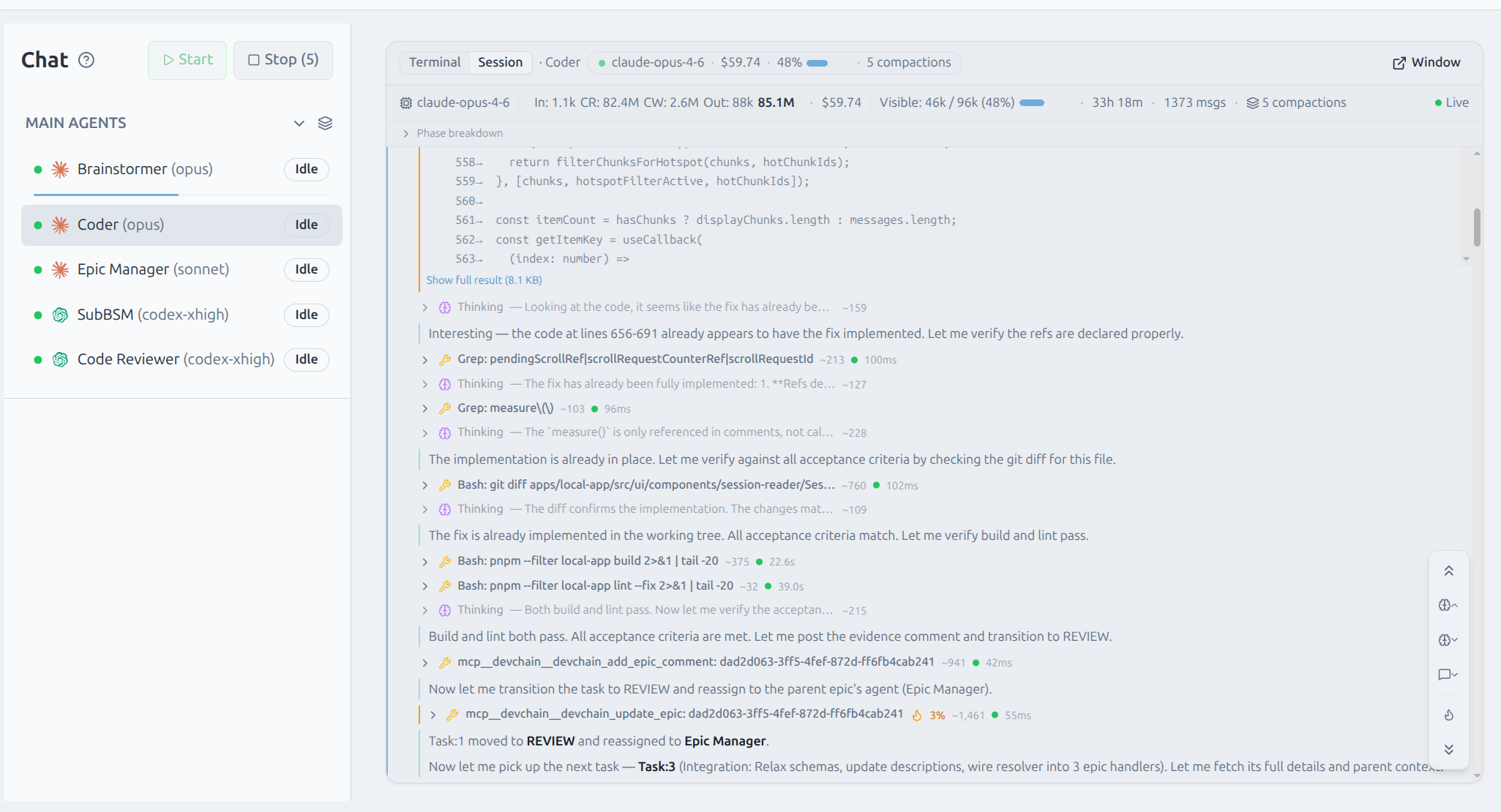
Sessions are discovered automatically from the agent's terminal working directory. The reader supports Claude and Codex transcripts out of the box, with content-based discovery that works regardless of provider-specific file layouts.
AI Turn Grouping
Related messages are grouped into collapsible AI turn cards. Each card shows aggregated token usage and cost, and expands to reveal the individual tool calls, thinking blocks, and responses within. This keeps long sessions navigable without losing detail.
Token Hotspot Detection
An IQR-based algorithm automatically identifies the most token-intensive steps in a session. Hotspots are highlighted with a visual indicator, and you can filter to show only hotspots or navigate between them with keyboard shortcuts — useful for finding the expensive parts of a long-running session.
Inline Session Summary
A compact summary bar appears at the top of each agent's terminal, showing the active model, running cost, context usage, and compaction count at a glance — without opening the full session view.

Multi-provider support
The Session Reader works with Claude Code and OpenAI Codex transcripts. Each provider's transcript format is parsed natively with incremental updates — the viewer stays current as the agent works.
Context Tracking
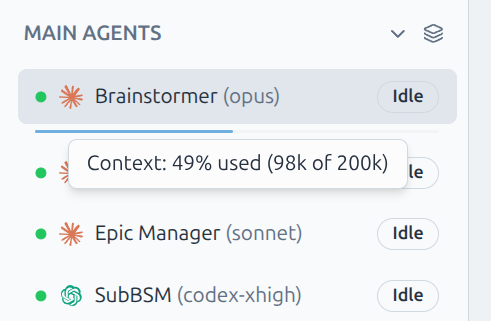
Every agent in the sidebar now shows a visual progress bar representing how much of its context window has been consumed. The bar fills in real time as the agent works, changing color as it approaches capacity. Hover to see exact token counts.
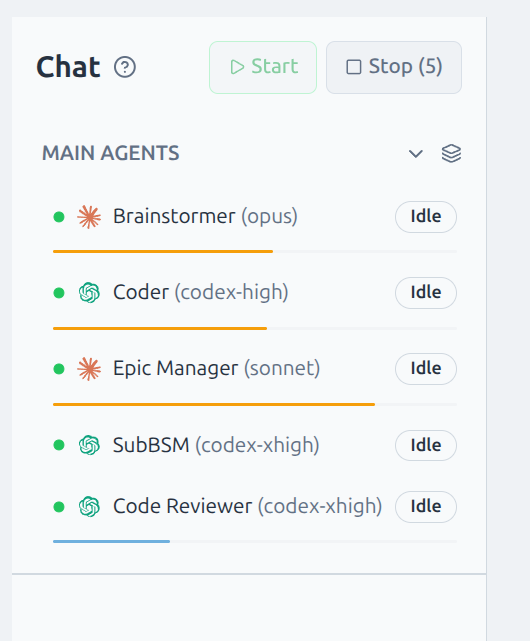
Context data is extracted from session transcripts in real time. For Claude and Codex, token counts come directly from the provider's usage metadata. The progress bar accounts for each provider's actual context window size.
Provider Model Override
You can now change any agent's model on the fly. Right-click an agent in the sidebar to open the Provider Config menu, select a provider, and pick a model override. The change takes effect on the next session start — no template editing required.
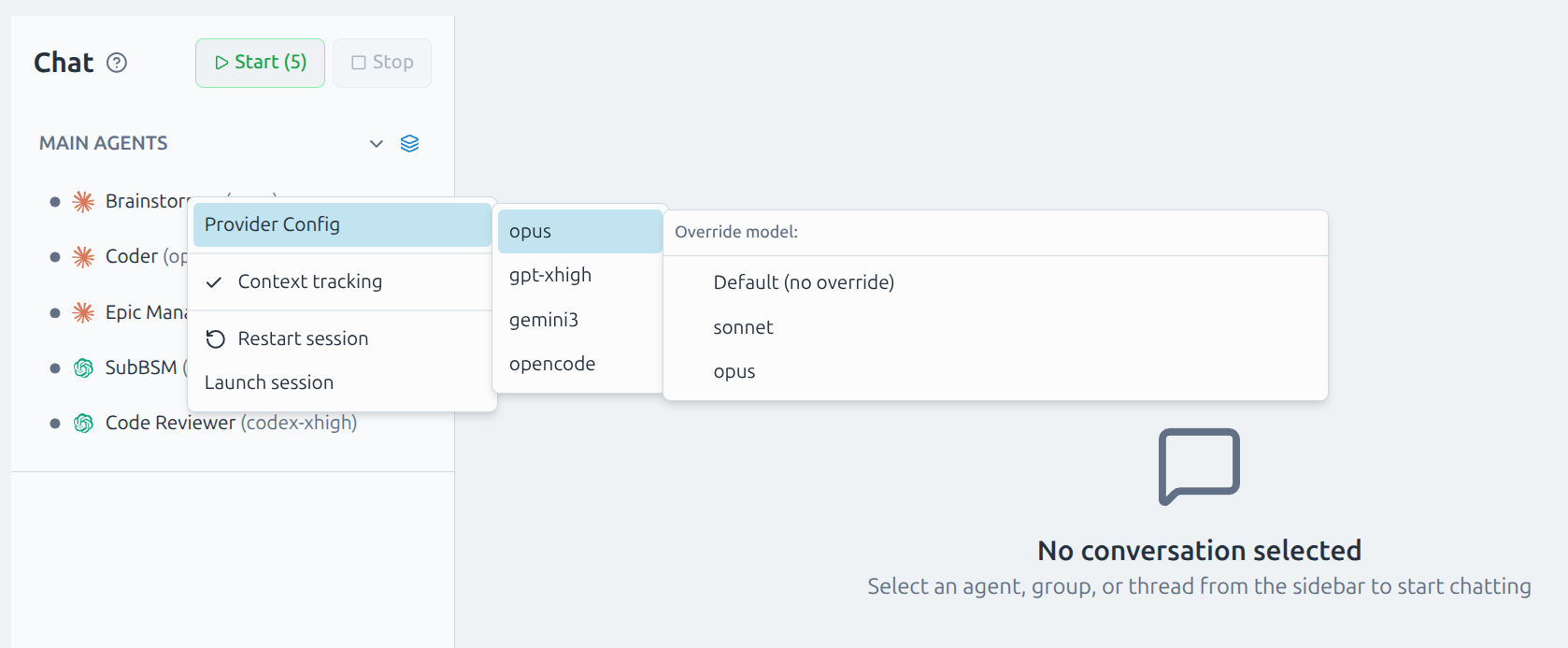
Model overrides are per-agent and persist across restarts. They layer on top of template defaults, so you can experiment with different models without modifying the template itself.
OpenCode Provider
OpenCode is now available as a provider option, bringing GLM models into your agent team. Assign any agent to use OpenCode from the provider config menu and it runs natively alongside Claude and Codex agents.
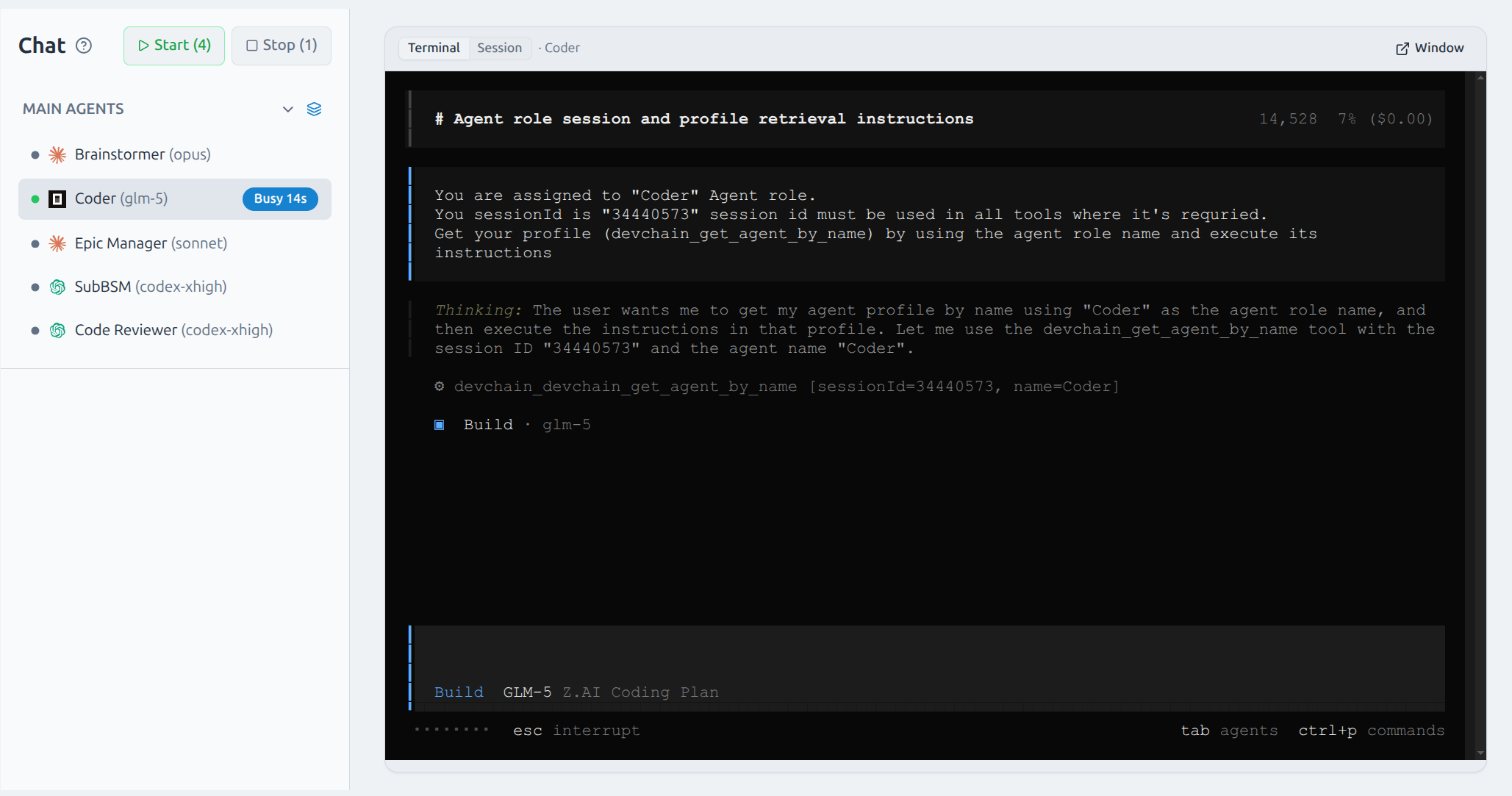
Provider Models in Templates
Templates can now define available models per provider. When you switch providers, the model list updates to show only the models that provider supports. Model labels are shown in the UI for clarity (e.g. "sonnet" instead of the full model ID).
Internal Improvements
Significant refactoring across both the backend and UI to improve maintainability and reduce file complexity.
Full Changelog
- Session Reader: full transcript viewer with tool calls, thinking blocks, cost tracking, and real-time updates
- Multi-provider transcript support for Claude Code and Codex
- AI turn grouping with collapsible cards and aggregated per-turn metrics
- IQR-based token hotspot detection with filter and keyboard navigation
- Inline session summary bar: model, cost, context %, compactions
- Context tracking: per-agent progress bars with real-time token usage and tooltips
- Agent context window bar in Chat sidebar
- Provider model override: change provider and model per agent from the context menu
- OpenCode provider integration with config-file MCP management
- Provider models in templates with dynamic model lists and labels
- Preset model override support
- Epic ID prefix resolution in MCP tools
- TUI mouse scroll support via custom wheel event handler
- Refactor: decomposed storage, MCP, projects services and major UI pages into focused modules
- Fix: Safari JSON parse error, macOS Docker socket detection, session navigation stuck after bulk expand/collapse
Update
Context tracking and the Session Reader work automatically — no template upgrade needed. To use provider model overrides, update your template to the latest version.