DevChain Mobile
Drive and monitor your agent teams from your phone: chat, board, live terminals, and push notifications. Everything between your PC and your phone is end-to-end encrypted.
Your machine, now within reach
DevChain has always been local-first: your agents, your terminals, your data, all on your machine, all yours. The one thing it couldn't do was come with you. When an agent finished a long run, hit a wall, or stopped to ask a question, you had to be at your desk to notice.
0.15.0 closes that gap. The new DevChain mobile app lets you watch your agent teams work, answer their questions, reassign epics, and get pushed the moment something needs you, from anywhere. And it does this without giving up the local-first promise: your phone talks to your PC over an end-to-end encrypted channel that the cloud relay in between can never read. More on exactly how that works below.
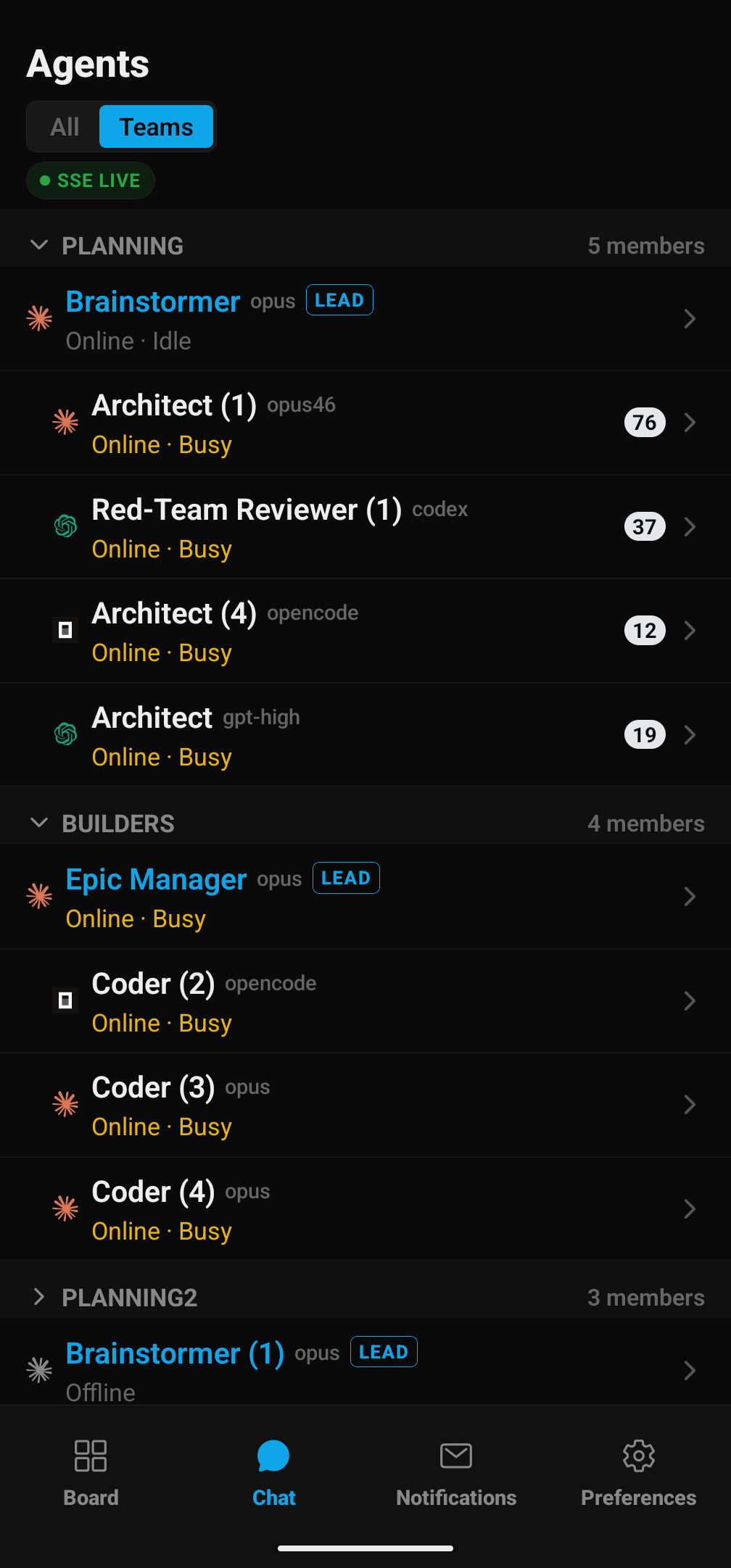
Connect to DevChain Cloud
DevChain Cloud is the thin relay that lets your phone find and reach your PC. It is not a place your projects live. No transcripts, no code, and no terminal output are ever stored there in readable form. Think of it as an encrypted switchboard: it connects your two devices and forwards sealed data it can't open.
To connect, open Cloud Settings in the desktop app and sign in one of three ways: with GitHub, with an email magic link, or by scanning a QR code. Once you're signed in, your machine becomes reachable by your paired phone, and nothing else.
Note: the QR-code option is scanned with the DevChain mobile app, so you'll need the app installed first (grab it in the next section).
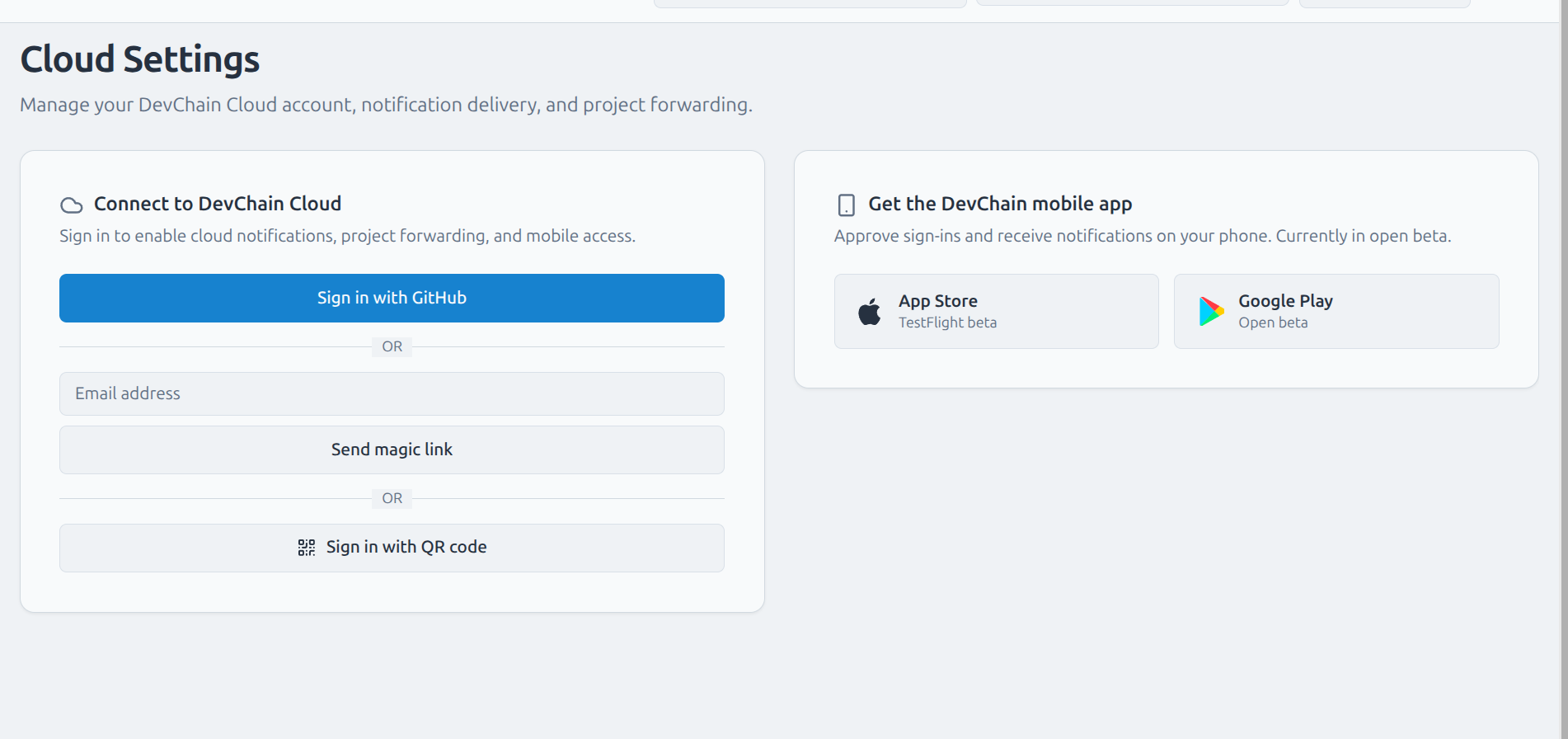
Get the mobile app: join the beta
DevChain Mobile is open for public testing on iOS and Android right now, and we'd love your feedback. Tap a button (or scan a code) to join the beta, pair your phone, and start steering your agents on the go. Hit a rough edge? Tell us. This is exactly the moment it helps most.
Install the app, sign in to the same Cloud account (or scan the QR code shown on the desktop), and your phone pairs with your PC. That pairing step does double duty: it also exchanges the encryption keys that protect every message between the two devices from then on.


On your phone? Use the buttons. At your desk? Scan a code with your camera.
What you can do
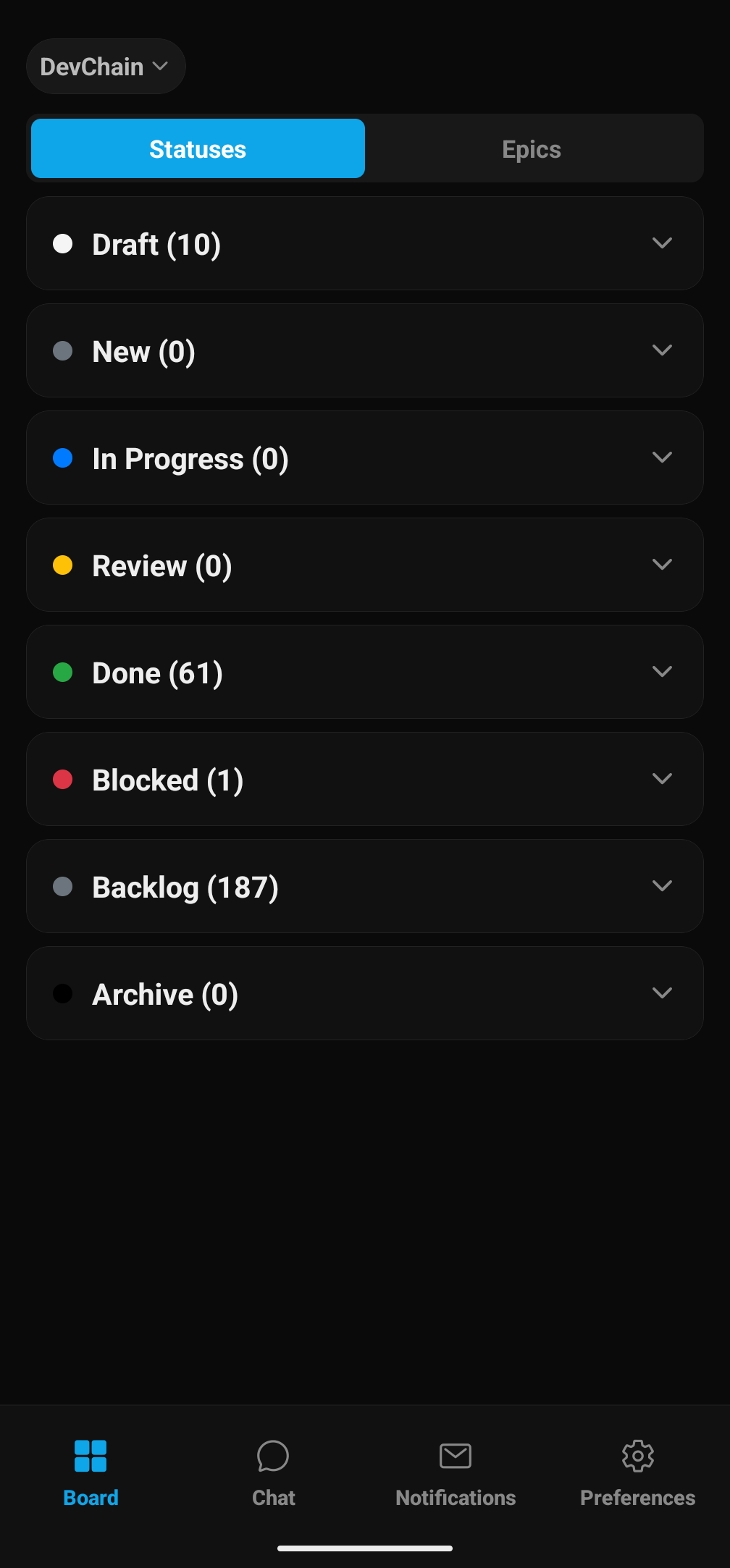
Four tabs mirror the desktop workflow, so there's nothing new to learn. It's the DevChain you already use, sized for your hand.
Built for long sessions
Session-scoped unread badges, a new-messages divider, first-unread positioning, and a scroll-to-latest button keep a busy multi-agent chat navigable on a small screen. Open a session's history to list, restore, rename, or delete past runs.
Know the moment your agents need you
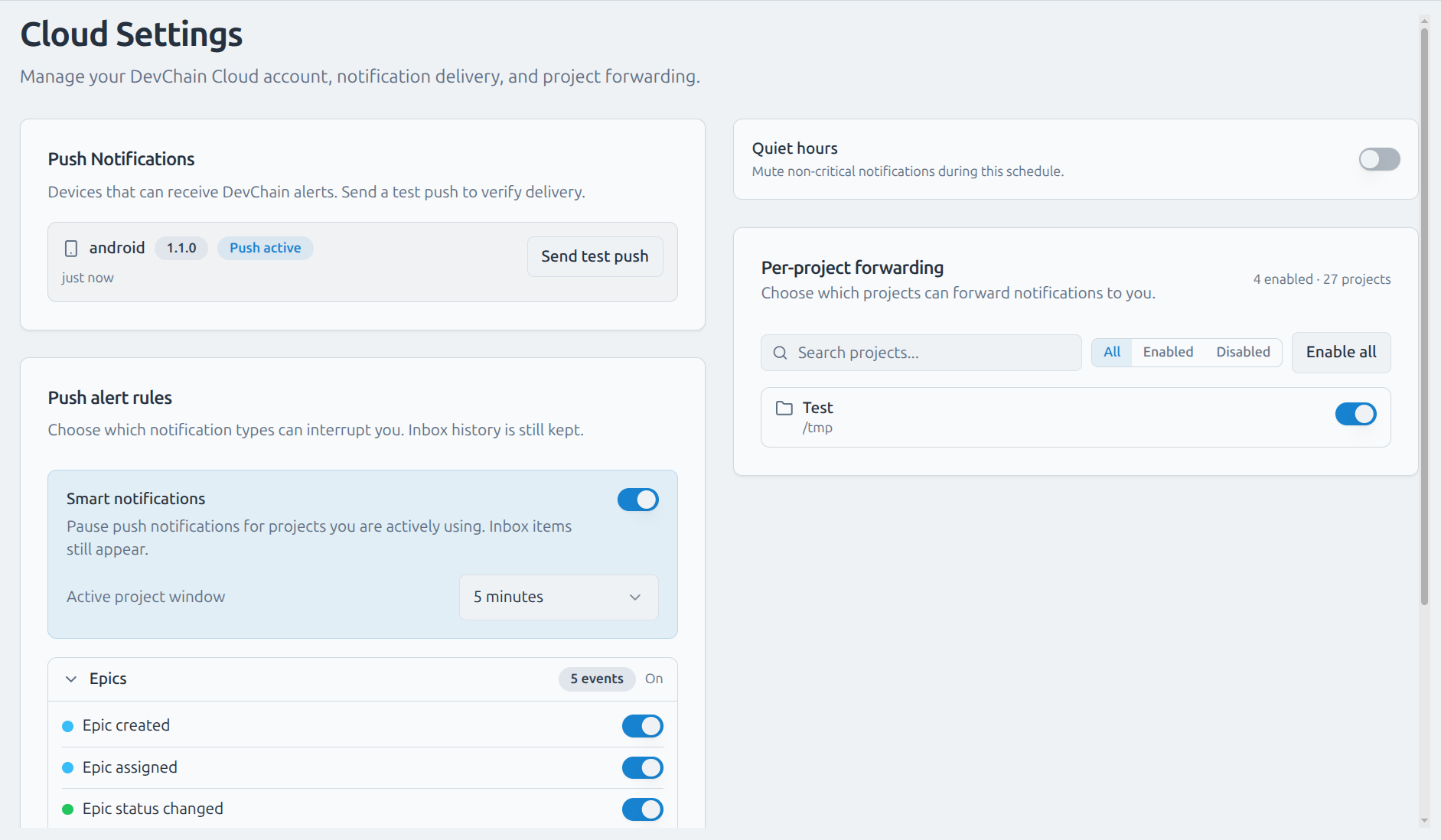
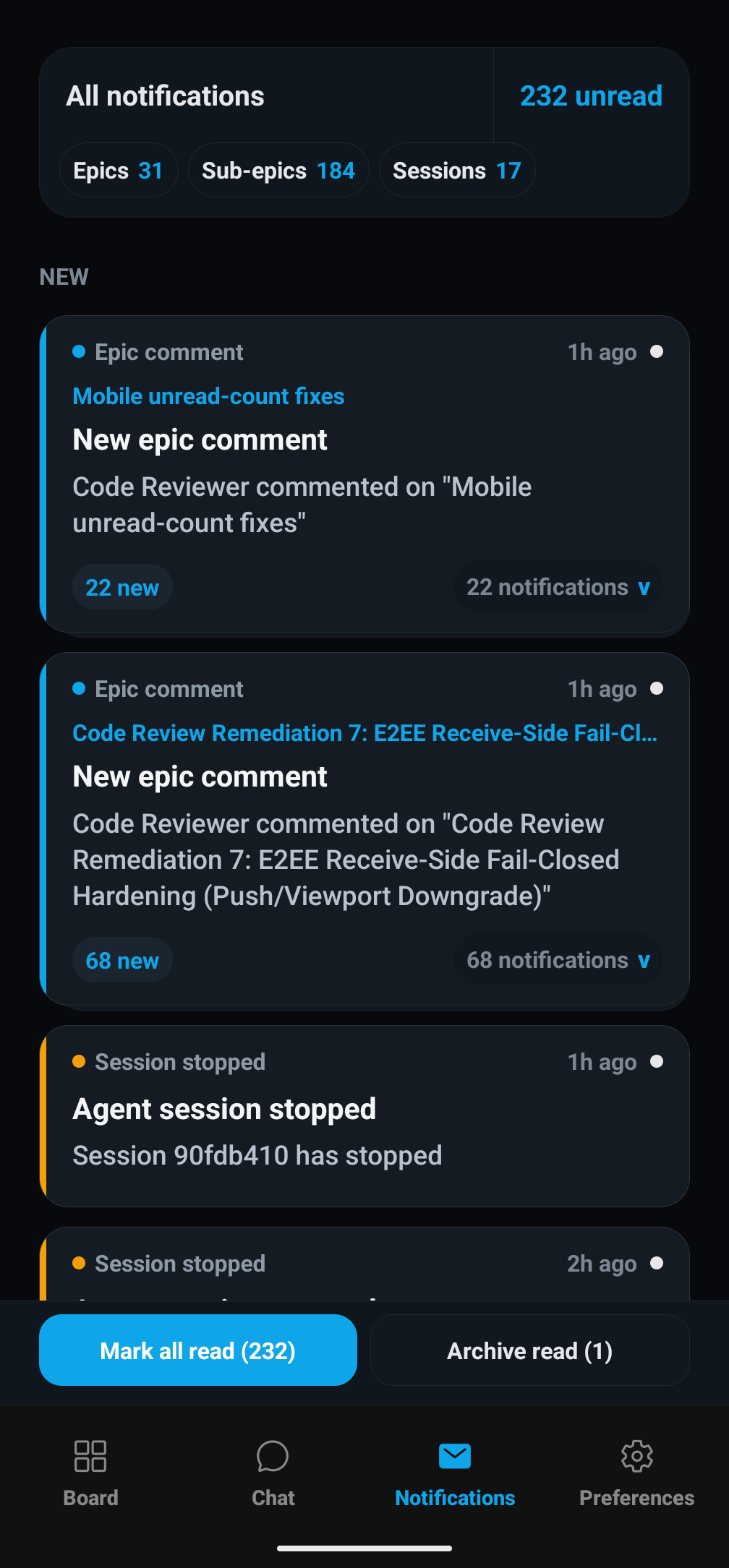
DevChain can push to your phone the instant something happens: an epic is created, assigned, or changes status; an agent session stops; a new comment lands; or an agent asks you a question. Everything is also kept in the inbox, so push is about interruption, not record-keeping. Nothing is lost if you don't tap it.
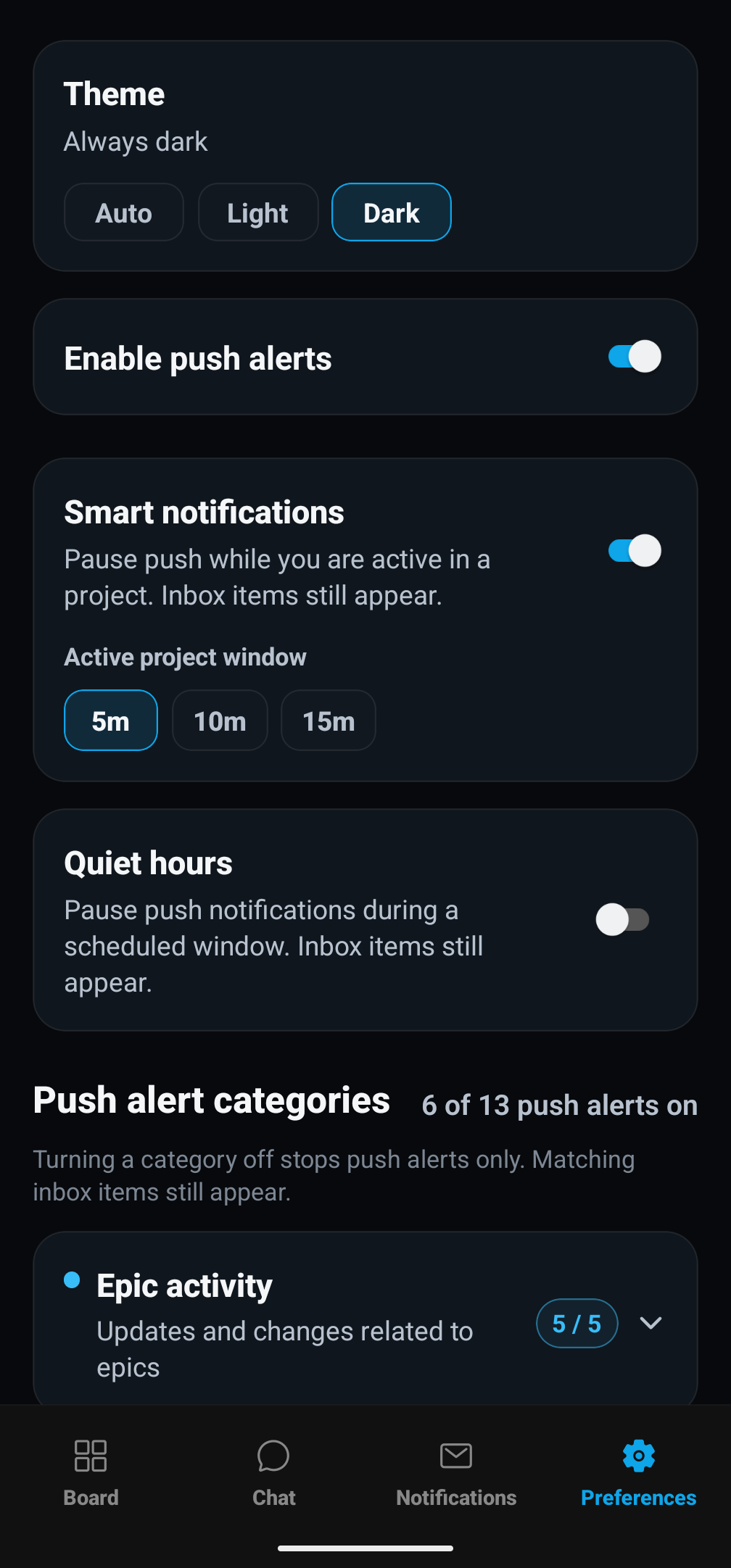
You stay in control of the noise:
Configure it on either device (desktop and mobile share the same settings) and use Send test push to verify delivery end to end.
End-to-end encrypted, not just HTTPS
The cloud can't read your data. Only your devices can.
Every connection already runs over HTTPS. On top of that, DevChain adds a higher level of security: an end-to-end encrypted channel between your two devices where everything you send is sealed. When your phone and PC pair, they exchange keys that only they hold. From then on, every message, every terminal screen, and every notification is sealed on one device and opened only on the other. The cloud bridge in the middle forwards sealed data it has no way to read, so even if that server were fully compromised, your agent transcripts, terminal output, and commands stay private.
Device-bound sign-in & self-healing
Your session is bound to your device's signing key (Ed25519 proof-of-possession on every token refresh), so a stolen token is useless on another device. And if keys ever drift out of sync, the app is honest about it. It shows an offline banner instead of silently falling back to plaintext, and walks you through a one-tap re-pair to restore encryption. You can also review your paired devices on the desktop and un-pair any of them at any time.
All local, all yours, even from your phone.
Also in 0.15.0
Full Changelog
- DevChain mobile app: chat with agent teams (grouped like web), live transcripts, send messages, interactive AskUserQuestion cards with Skip, add/remove agents, session history (list/restore/rename/delete), live tmux viewport with busy indicators, and epic assignment + comments
- Mobile board: epics by status and by epic with live counts
- Real-time mobile: shared SSE firehose + push channel and live viewport streaming, with reconnect and connect-status observability
- End-to-end encryption: PC↔mobile RPC, push, and viewport lanes are sealed (X25519 + XChaCha20-Poly1305); receive-side fail-closed hardening against plaintext downgrade; desktop paired-devices view with safety numbers and un-pair; self-healing key adoption with an honest offline banner; QR pairing fails closed (never shows a non-E2EE QR); CSPRNG polyfill for on-device key generation
- Device-bound auth: Ed25519 proof-of-possession on token refresh
- iOS & Android: upgraded to Expo SDK 54 / RN 0.81 (iOS 26 SDK), APNs push delivery, Android SDK 35, plus a side-by-side Dev build variant
- Cloud: Cloud + Notifications UI enabled by default (
--no-cloudto opt out); endpoints migrated to*.devchain.cc; redesigned cloud account page; cloud status indicator relocated to the dock bar - Notifications: smart notifications, quiet hours, 13 push categories, per-project forwarding, and a test-push button, shared between desktop and mobile
- Account deletion with a cancellation/undo window
- Message counts reflect conversational turns rather than raw tool calls, across all providers
- OpenCode DB-backed session reader with a generalized source-ref/freshness seam
- Per-project provider environment-variable scoping
- Codebase Overview: district identity migrated to path-based aggregation (Phase 1)
- Fixes & polish: default board filter + active-filter highlight; Save Filter works over LAN HTTP (
crypto.getRandomValuesfallback); Gemini agent-to-agent messages submit without a manual Enter
Update
Existing projects keep working. Cloud + Notifications UI is now on by default, so open
Cloud Settings to sign in and pair your phone. Prefer the old behavior? Launch with
--no-cloud.