Release
v0.27: The Vault and the Devin provider
Agents need real keys to do real work — an API key for a research script, a token for an MCP server, a service account for a deploy. Until now you had to put those into env files and provider configs, readable on disk. DevChain 0.27 adds the Vault: your secrets live encrypted on your PC, and an agent receives a value only at the moment a command needs it. This release also adds Devin as a provider, a contribution from the community.
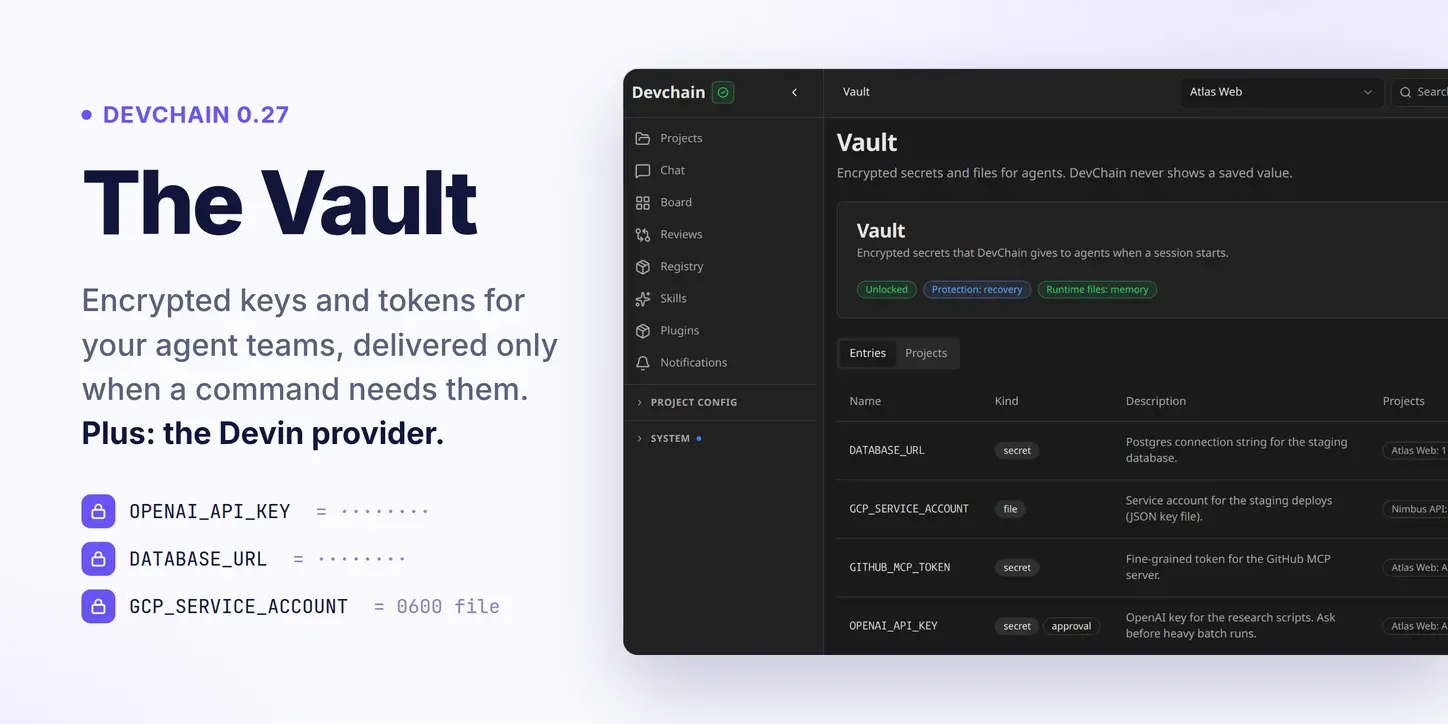
The Vault
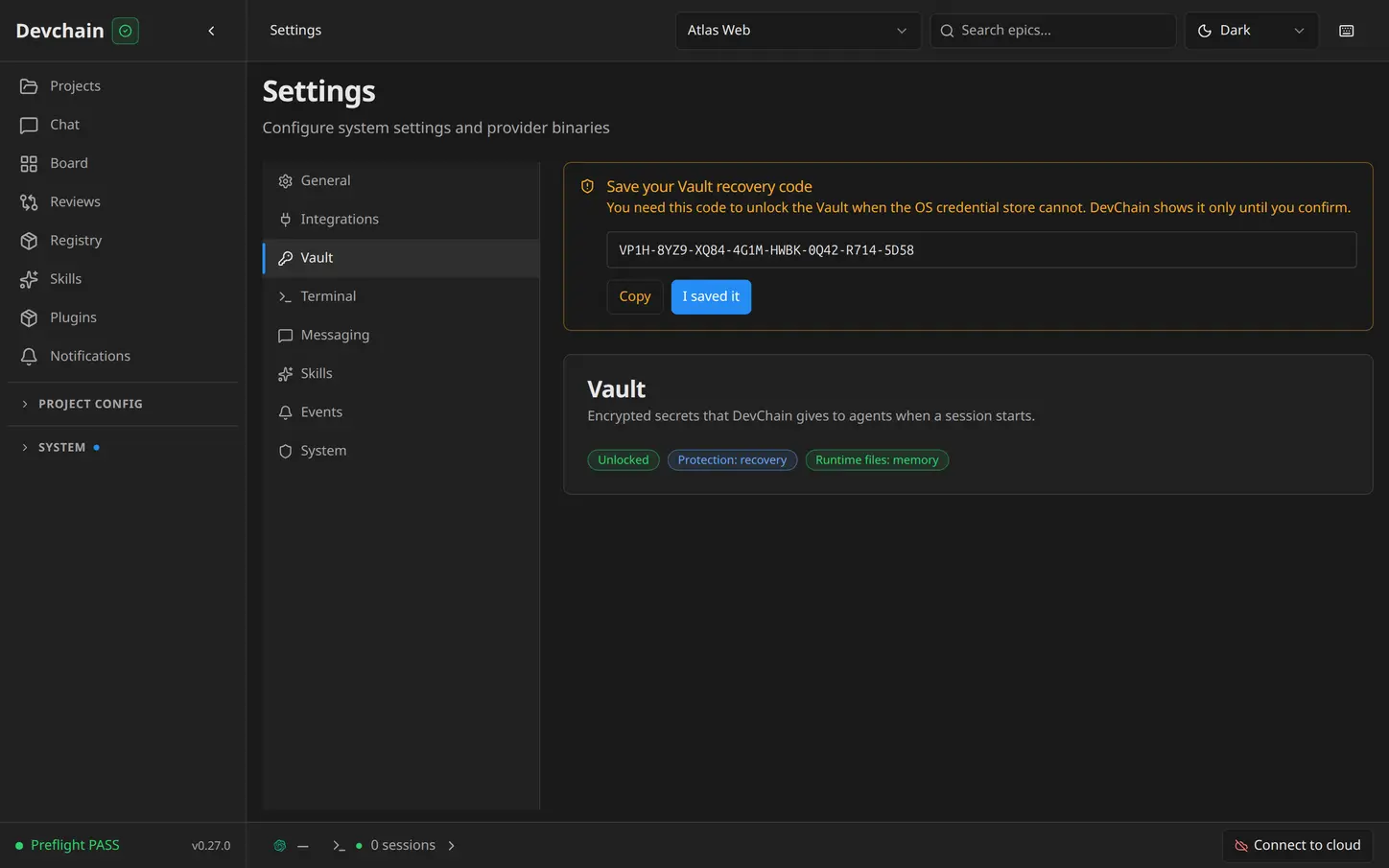
The Vault page holds your keys, tokens and key files. Each entry is a name, a description that tells agents what it is for, and a value that DevChain encrypts at once and never shows again — not in the UI, not in the API, not in logs or transcripts of DevChain itself.
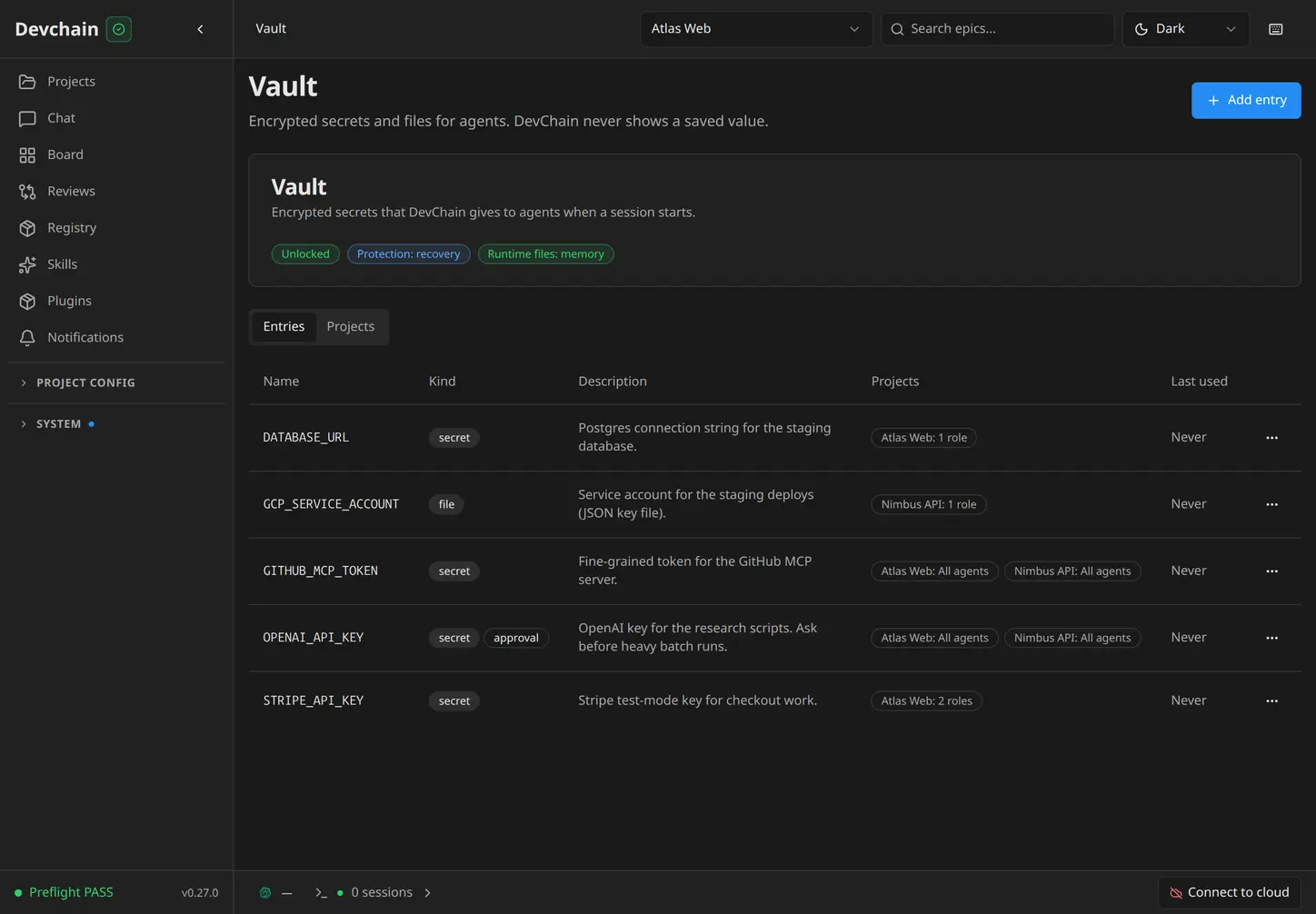
Two kinds of entries cover most needs: a secret is a single value, such as an API key or a connection string, and a file holds multi-line material, such as a PEM key or a JSON service account. An agent that uses a file entry gets the path of a private, owner-only file that exists just for its session.
You choose who gets what
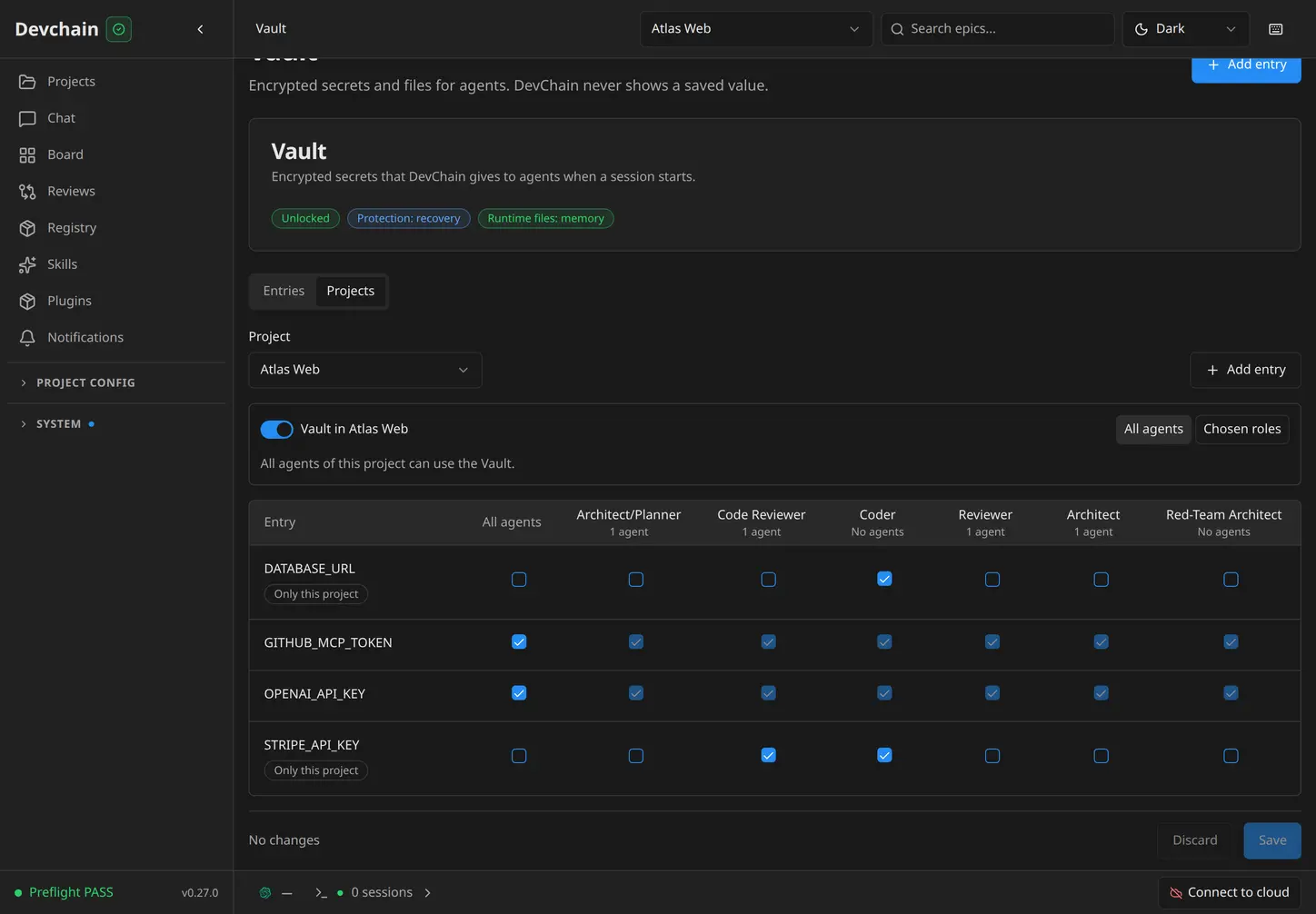
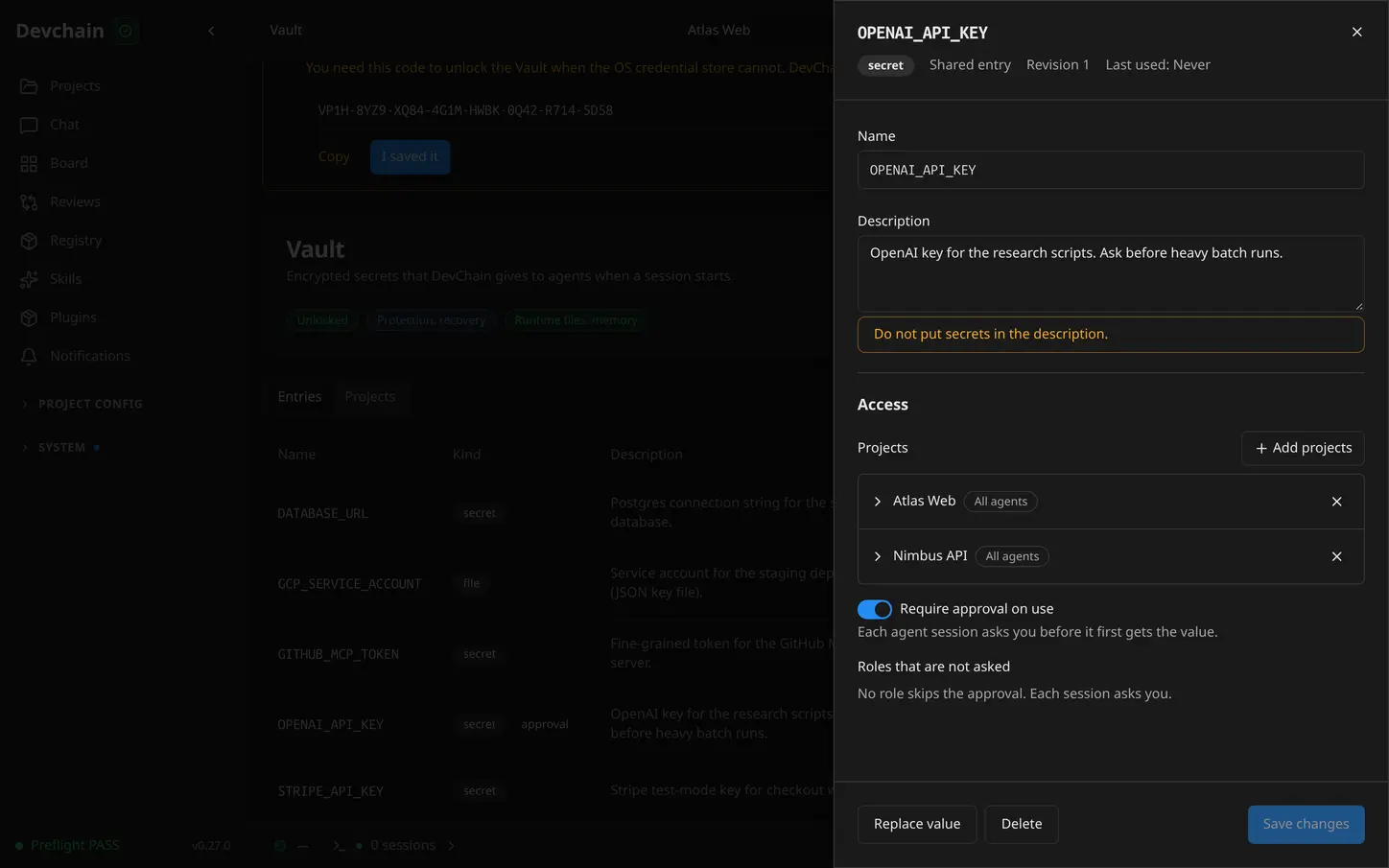
Access has layers. A project's agents can use the Vault only after you turn it on for that project. Then each entry names the projects that may use it — all agents there, or chosen roles only. The Projects tab shows the whole picture for one project as a matrix, and the entry editor shows the same access from the entry's side.
An entry can also require your approval before a session first uses it. The session asks once; you approve it for the session, once, or for a role permanently — or you deny it.
How agents get values
A session launch delivers no secrets. Instead, every agent session carries its own identity, and the agent runs a command through the DevChain CLI when it needs the values:
devchain vault exec --only STRIPE_API_KEY -- npm run checkout:test
The values exist only in the environment of that one command. The same pattern wraps MCP servers that need a token:
devchain vault exec --only GITHUB_MCP_TOKEN -- npx -y @modelcontextprotocol/server-github
Agents discover what they may use through the entry names and your descriptions — never the values. When an agent needs a secret that does not exist yet, it can raise a request. You answer it in DevChain or on your phone: store it as a new entry, hand it to that session only, or deny it. A change applies at the agent's next call, with no session restart.
How it works
- One data key encrypts every value with AES-256-GCM. The data key exists in plaintext only in the memory of the DevChain process on your PC.
- By default, the data key is protected by your OS credential store: macOS Keychain or Linux Secret Service. Setup is automatic, and DevChain also gives you a one-time recovery code for the day the credential store cannot help.
- On a machine without a credential store you choose the protection yourself: the recovery code, or a local key file.
Remote VMs are covered too. Your PC owns the Vault and pushes each VM only the entries its projects can use, over the same pinned-TLS channel as every other VM call. A VM keeps values only in memory — never in its database, never on its disk — so a VM backup or snapshot of the disk holds no secrets. A VM never holds the key that decrypts your Vault.
Security, honestly
What the Vault protects you from:
- A leaked database or a copied
~/.devchain. Vault values in them are ciphertext. With the default OS-keystore protection, the key is not in those files. - VM disks and their backups. Values never rest on a VM's disk.
- Accidental exposure through DevChain. No REST response (except the one session-scoped delivery route), no MCP result, no event, no export, no log and no launch command of DevChain carries a value. Tests guard each of these surfaces.
What it does not protect you from — the same machine is still one trust zone:
- A hostile or prompt-injected agent on the same machine runs as your user and can read another process's environment or call the same local delivery route.
- Output.
devchain vault execnever prints a value. But if the command it wraps prints one — an env dump, a debug log — that output goes to the model and the transcript like any other terminal output. - Entries sealed with your ClickUp, Jira, provider logins and Proxmox token moved under the Vault key in this release too — but swap files and RAM snapshots are, as always, outside any app's control.
Treat the Vault as strong protection for your data at rest and a clean delivery path — not as isolation between agents that share one machine.
The Devin provider
Devin joins Claude Code, Codex, OpenCode, Antigravity and Copilot as a DevChain provider — on your PC and on remote VMs. Sessions launch and restore with full transcripts, token and cost metrics, model discovery, MCP and hooks, and VM installs with login delivery, like every other provider.
This one came from outside the team: MikihinaSann contributed the Devin provider in PR #29. Thank you!
Also in 0.27
- Remote VMs: more reliable Syncthing control under load, and whole-folder scans of big projects no longer time out
- Providers: Auto Discover for Antigravity models
- Dev Template: the default template gives its roles Vault access out of the box
Get it
Update with npm install -g devchain-cli, or start fresh:
npm install -g devchain-cli
devchain start
The Vault sets itself up on first start when your OS has a credential store. Open Vault in the sidebar, add your first entry, and your agents can stop reading keys from env files.